Businesses are still losing valuable time to a problem that often looks too ordinary to become a technology priority: getting information from documents, emails, forms, PDFs, images, invoices, applications, and spreadsheets into business systems. A finance team may receive hundreds of invoices every week. An HR department may process resumes, identity documents, joining forms, and employee records. A logistics company may handle purchase orders, delivery documents, bills of lading, and proof-of-delivery files. Meanwhile, customer service teams may need to extract information from emails and attachments before they can respond.
When this work is handled manually, the cost is not limited to employee hours. Data entry errors, delayed approvals, duplicated work, inconsistent information, and slow decision-making can affect the entire business.
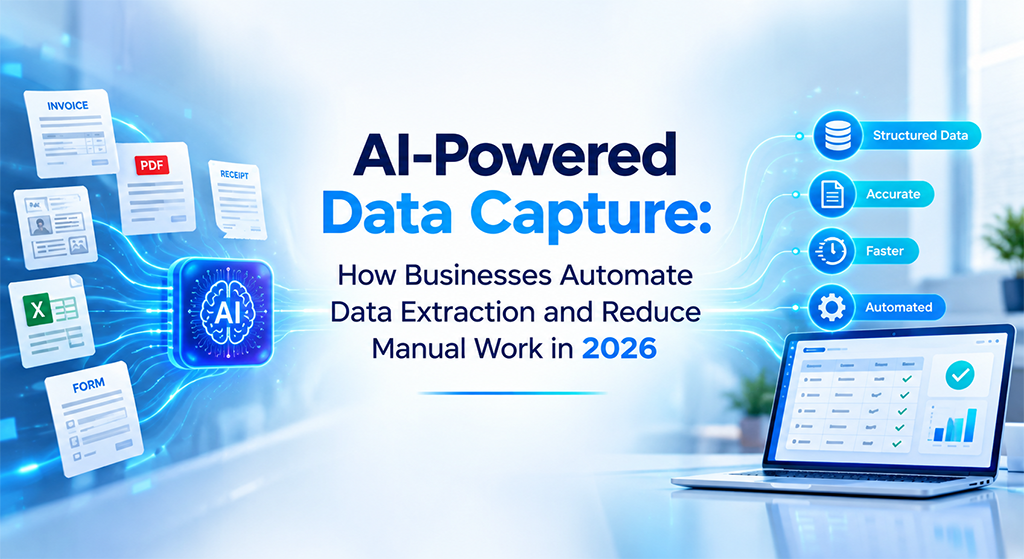
That is where AI-powered data capture is becoming increasingly important in 2026. Instead of simply reading text from a document, modern AI data capture solutions can identify document types, understand layouts, extract relevant fields, interpret context, validate information, and send structured data into downstream business workflows. Current enterprise document-processing platforms are combining OCR, machine learning, document understanding, custom extraction models, and increasingly generative or LLM-powered capabilities for complex and unstructured content.
What Is AI-Powered Data Capture?
AI-powered data capture is the process of using artificial intelligence to automatically identify, extract, understand, validate, and transfer information from documents and other data sources into business applications. Traditional data capture generally depends on fixed templates, predefined rules, or basic OCR. Although these approaches can work for highly standardized documents, they often struggle when layouts change, documents contain handwritten information, tables move between pages, or the same information appears in different formats.
AI-powered data capture takes a broader approach. For example, instead of simply converting an invoice image into text, an intelligent system can identify that the document is an invoice, locate the supplier name, invoice number, tax amount, purchase order number, line items, and total amount, normalize the extracted values, check them against business rules, and then transfer the approved information to an ERP or accounting system.
Therefore, the objective is not merely OCR automation. The objective is to convert unstructured information into reliable, usable business data.
Why Manual Data Extraction Is Still a Business Problem
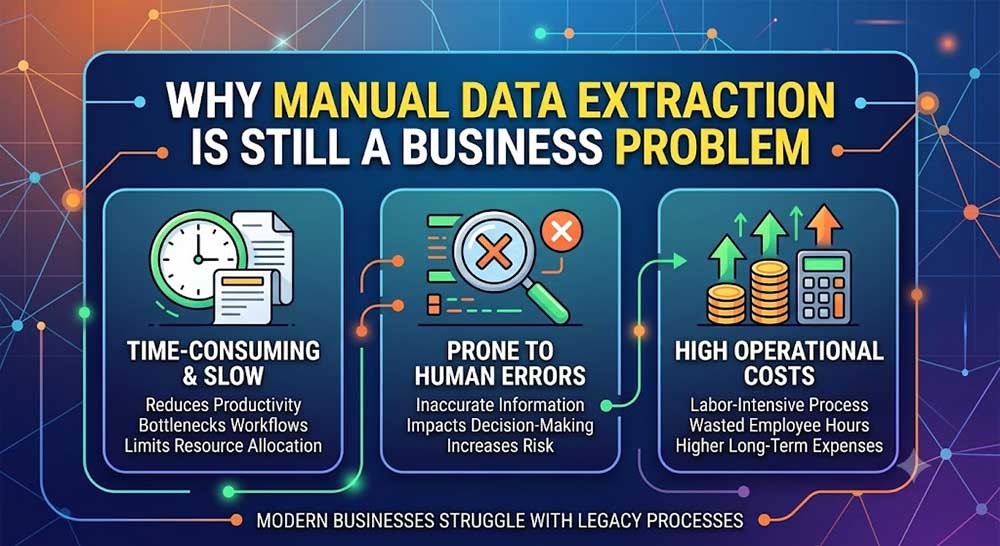
Manual data entry often survives because individual tasks appear manageable. However, the situation changes dramatically when document volumes increase. An employee who spends five minutes entering information from one invoice may not appear overloaded. However, processing thousands of invoices every month turns that repetitive activity into a significant operational cost.
Furthermore, manual processes introduce another problem: inconsistency. One employee may enter a supplier name differently from another. A date may be entered in the wrong format. A tax value may be copied incorrectly. A purchase order number may be missed. Consequently, an apparently small data-entry mistake can create reconciliation problems later in the workflow.
The same issue appears in HR, healthcare, banking, insurance, logistics, retail, and customer operations. Therefore, companies need to look beyond the question, “Can we automate data entry?” The more important question is:
“How much of the complete data-to-workflow process can we automate without sacrificing accuracy, security, or human control?”
How AI Data Capture Automates Data Extraction
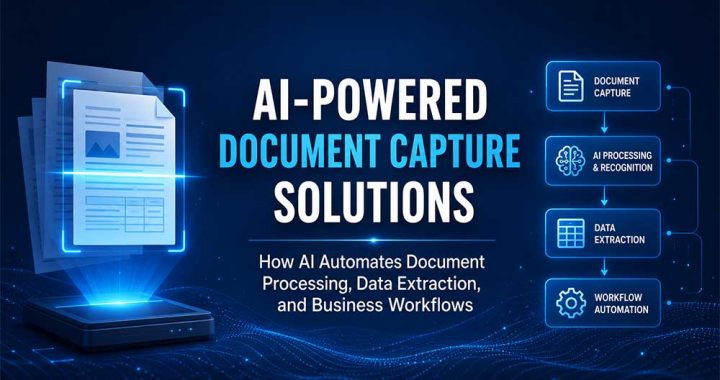
A modern AI-powered data capture workflow generally begins when information enters the organization. The source could be a scanned document, PDF, email attachment, mobile image, online form, spreadsheet, or enterprise application. The system first classifies and analyzes the incoming content. Modern document intelligence platforms can use OCR and layout analysis to identify text, tables, paragraphs, key-value pairs, barcodes, and other document elements.
Next, AI models identify the information that matters to the particular business process. For instance, an invoice-processing workflow may need supplier details and financial fields, while an HR workflow may need candidate information, employment dates, qualifications, and identity-document details.
After extraction, the information can be normalized and validated. For example, an AI system can recognize that “₹1,25,000”, “125000 INR”, and “INR 125,000” represent the same currency value, depending on the rules configured for the workflow. Finally, the structured information can be transferred to systems such as ERP, CRM, HRMS, accounting platforms, databases, or custom applications.
Consequently, AI-powered data capture becomes more than an extraction tool. It becomes an intelligent bridge between incoming information and business action.
AI-Powered Data Capture vs Traditional OCR
Traditional OCR remains useful because it converts images into machine-readable text. However, text recognition alone does not necessarily provide business understanding. Suppose a document contains the following:
Invoice Number: INV-10482
Invoice Date: 15/08/2026
Supplier: ABC Technologies
Total: ₹1,25,000
Basic OCR may recognize the words and numbers. However, an intelligent data capture system can determine which value belongs to which field, understand the document structure, identify the document type, normalize the values, and pass the information into the appropriate business process.
This distinction is becoming increasingly important as organizations move from document digitization toward intelligent document processing. Current enterprise AI platforms now distinguish between deterministic document extraction for structured content and LLM-powered or multimodal processing for highly variable and unstructured content.
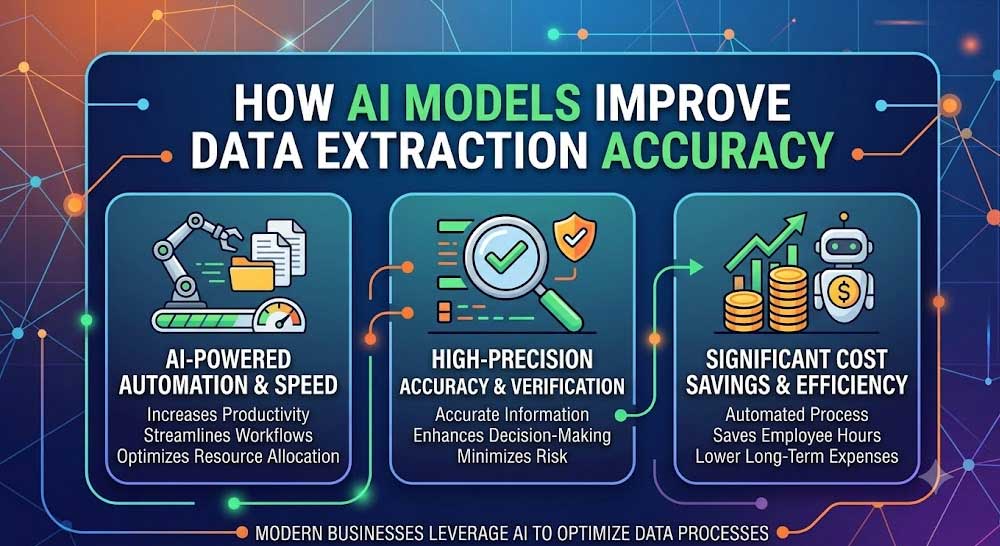
How AI Models Improve Data Extraction Accuracy
The effectiveness of AI-powered data capture depends heavily on the models used behind the workflow. OCR models handle text recognition. Classification models determine what type of document has arrived. Layout models understand the relationship between text, tables, fields, and visual structure. Custom extraction models can then be trained for organization-specific documents.
For highly standardized documents, a predefined model may be sufficient. However, companies often deal with documents that differ by supplier, branch, customer, country, or department. In such situations, custom models can learn the fields and document structures that are relevant to the business.
Modern document intelligence systems also support typed extraction, meaning extracted information can be identified as values such as dates, currencies, numbers, addresses, and other structured data rather than remaining as raw text.
Meanwhile, LLM-powered approaches can be useful when documents contain complex language, changing layouts, or information that requires contextual interpretation. This creates a more flexible architecture: deterministic models can handle predictable information, while generative AI can assist with more complex content.
From Data Extraction to End-to-End Workflow Automation
Extracting information is only the first step. If employees still need to manually copy the extracted information into an ERP, send approval emails, update spreadsheets, and notify another department, the business has automated only part of the problem. A stronger approach connects AI data capture directly with workflow automation.
For example, when an invoice arrives, AI can identify the document, extract the relevant information, validate the supplier and purchase order, detect exceptions, and route the invoice for approval. Once approved, the transaction can be pushed into the accounting or ERP system.
Similarly, an HR workflow can receive an employee document, extract relevant information, validate required fields, update the HR system, and trigger the next onboarding task. Therefore, the real business value comes from connecting capture → extraction → validation → decision → workflow → system update.
This is also why intelligent document processing is increasingly connected with AI agents, RPA, APIs, ERP platforms, and enterprise automation.
What Business Problems Can AI Data Capture Solve?
The strongest use cases usually begin with a repetitive business problem rather than with the technology itself. A finance department struggling with invoice backlogs can automate invoice data extraction and validation. An HR department spending hours entering employee information can automate document collection and data transfer.
A logistics company handling large volumes of shipping documents can extract shipment information and feed it into operational systems. A healthcare organization can process forms and supporting documents more efficiently while maintaining appropriate controls around sensitive information.
Similarly, banks and financial institutions can use intelligent extraction for applications, statements, KYC documentation, transaction records, and supporting documents. In each case, the objective remains the same: reduce repetitive manual work while improving the speed and consistency of information moving through the organization.
What Happens When Companies Do Not Automate Data Capture?
The cost of manual processing usually grows quietly. More documents require more employees and employees create more handoffs. More handoffs create more opportunities for mistakes. Eventually, the organization starts spending significant resources maintaining a process that does not directly create customer value.
Moreover, delayed data can become a business problem. If financial information reaches the accounting system late, reporting can be delayed, And If customer information is entered incorrectly, service quality can suffer. If operational documents remain stuck in email inboxes, downstream teams may not have the information they need.
Therefore, AI data capture should not be viewed only as a productivity project. It can become an operational resilience strategy.
How to Implement AI-Powered Data Capture Successfully
Successful implementation starts with selecting the right process. Instead of attempting to automate every document immediately, companies should identify workflows with high document volumes, repetitive manual entry, measurable processing costs, and clear business rules.
The next step is to define the data that actually needs to be captured. For example, extracting every piece of text from an invoice may create unnecessary complexity. A better approach is to identify the fields required by the accounting or ERP workflow and design the extraction model around those requirements.
Validation should also be part of the architecture from the beginning. AI should not be expected to make every decision without oversight. Confidence thresholds, business rules, exception queues, human review, audit trails, and approval workflows can provide an important control layer. As a result, organizations can automate high-confidence transactions while sending uncertain cases to employees for review. That balance between automation and human oversight is often more practical than attempting to create a completely human-free process.
How Businesses Can Measure AI Data Capture ROI
AI automation should be measured through business outcomes rather than AI activity alone. Companies can compare the time required to process a document before and after automation. They can also monitor extraction accuracy, exception rates, processing volume, turnaround time, manual touches, rework, and cost per transaction.
Importantly, organizations should connect these operational metrics to financial outcomes. This matters because enterprise AI investment is increasingly being scrutinized for measurable business value. IBM reported in September 2026 that 84% of finance leaders, based on Gartner research cited by IBM, said they struggle to measure AI ROI.
Therefore, a successful AI data capture project should have measurable KPIs from the beginning. The goal is not simply to say that “AI is processing documents.” The goal is to demonstrate that the business is processing information faster, with fewer manual interventions and a measurable improvement in operational efficiency.
The Future of AI-Powered Data Capture in 2026 and Beyond
AI-powered data capture is moving from simple OCR toward intelligent information processing. Documents are increasingly becoming inputs for AI agents, enterprise search, RAG systems, analytics platforms, and automated decision workflows. IBM highlighted this direction in 2026, noting that converting complex documents into structured, AI-ready data is becoming important for enterprise RAG systems and AI agents.
At the same time, Microsoft’s current document-processing capabilities demonstrate how the market is combining OCR, layout analysis, custom models, deterministic extraction, and LLM-powered analysis for different document scenarios.
Consequently, businesses should think about data capture as part of their broader AI architecture rather than as an isolated OCR project. The organizations that benefit most will be those that connect reliable data extraction with the systems and workflows that actually use that information.
Frequently Asked Questions About AI-Powered Data Capture
What is AI-powered data capture?
AI-powered data capture uses artificial intelligence, OCR, machine learning, document understanding, and related models to automatically extract and structure information from documents, images, emails, forms, and other sources.
How does AI automate data extraction?
AI analyzes incoming content, identifies document types and relevant fields, extracts information, interprets its context, validates the results, and transfers structured data into business applications or automated workflows.
Is AI data capture better than OCR?
AI data capture can go beyond basic OCR. While OCR primarily recognizes text, AI-powered document processing can also understand document structure, classify documents, extract specific fields, validate information, and support workflow decisions.
Can AI data capture work with unstructured documents?
Yes. Modern document-processing systems can handle structured, semi-structured, and unstructured content. For highly variable documents, organizations can combine custom extraction models with newer generative AI or multimodal approaches.
Can AI data capture integrate with ERP and CRM systems?
Yes. AI data capture can be connected to ERP, CRM, HRMS, accounting, databases, APIs, and custom applications so extracted information can automatically move into downstream workflows.
Does AI data capture eliminate human employees?
Not necessarily. A well-designed system usually automates repetitive, high-confidence tasks while routing exceptions and uncertain cases to human employees. This allows people to focus on decisions, customer interactions, analysis, and other higher-value work.
Turn Manual Data Entry Into Intelligent Automation
Manual document processing does not have to remain a hidden operational cost. With the right AI-powered data capture architecture, businesses can move from manually reading documents and entering information toward automated extraction, validation, workflow routing, and system updates.
At PMDG Technologies, AI-powered data capture can be designed around the actual processes a business needs to improve—from intelligent document processing and data extraction to workflow automation and enterprise application integration.
If your team is spending hours extracting information from invoices, forms, PDFs, emails, applications, or business documents, the next step is not simply to add another OCR tool. It is to redesign the complete data-to-workflow process.
Talk to PMDG Technologies about building an AI-powered data capture and business automation solution tailored to your workflow.
Download the AI Data Capture Readiness Checklist 2026 to identify manual document-processing bottlenecks, automation opportunities, required integrations, validation rules, and the right AI model strategy for your organization.